How to Use the Mighty+ and Crafty+: Loading, Heating and Getting the Most From a Session
To use a Mighty+ or Crafty+: charge it fully, open the cooling unit with a quarter turn, fill the chamber with finely ground dry herb up to the rim without packing it hard, refit the cooling unit, press the orange button for half a second and wait for the heat-up to finish. Then draw slowly for a few seconds, taking in about half as much as you could, hold briefly and exhale slowly. Both start at a base of 180 °C and have booster steps if you need more.
This guide walks through a first session and the habits that make later ones better, based on Storz & Bickel's manual and support pages. For faults, see our not heating or not charging guide, and for charge times, the battery guide. More guides are in the Storz & Bickel hub.
- Charge first
- Open the cooling unit and fill the chamber
- Switch on and heat up
- Take your session
- Getting more from each load
- After the session
- Capsules, reducers and other helpers

1. Charge First
The manual asks you to charge the battery fully before first use. A new Mighty+ ships with a charge of up to 80%. Use the USB-C cable supplied and an original or suitable charger. The Crafty+ also charges over USB-C and cannot be used while it is plugged in. Details on charge lights and times are in our battery guide.
Both devices work best between 5 °C and 35 °C, according to Storz & Bickel, and the manufacturer also advises using them only while seated and never leaving them unattended while they run.
2. Open the Cooling Unit and Fill the Chamber
Many people ask how to open a Mighty+. The filling chamber sits under the cooling unit, which is the part with the fold-out mouthpiece.
- Make sure the device is cool and off. The chamber and the area around it get hot.
- Unscrew the cooling unit by turning it 90 degrees counterclockwise and lift it off.
- Grind your herb finely. Storz & Bickel notes that the finer the material is ground, the greater the surface area and the more aroma is released in a cycle.
- Fill the chamber with crushed material up to the plastic rim. The Mighty+ manual says that over-compressed or overfilled material makes inhalation harder, so fill it fully but do not press it down hard.
- Clear any stray material from around the chamber opening, so the cooling unit seals properly.
- Refit the cooling unit by turning it 90 degrees clockwise.
The Mighty+ has a Filling Chamber Tool stored in its housing. You can pull it out, turn it so that it sticks out, and put it back in to act as an extra support, which keeps the device steady while you fill it. A small pick tool or tamper helps if you want to stir the material or clear the chamber. Our pick tool and tamper set is listed for the Mighty and other dry herb devices.
3. Switch On and Heat Up
Press the orange ON/OFF button for at least half a second. The device vibrates and starts to heat. Both models begin at a base temperature of 180 °C.
- Mighty+: the display shows the set and actual temperatures. The heat-up takes about 60 to 70 seconds, according to Storz & Bickel's support page, although the manual allows up to two minutes depending on battery charge and room temperature. A double vibration tells you the base temperature has been reached.
- Crafty+: heat-up takes about 60 seconds according to Storz & Bickel's support page. It is a one-button device, so there is no temperature display.
Do not start drawing before the heating phase finishes. If the heat-up feels slower than this, check the battery and the room temperature first, then see the troubleshooting guide.
Changing temperature
The Mighty+ has three factory levels: a base of 180 °C, a booster at +15 °C (195 °C with the factory base) and a superbooster at +30 °C over the base (210 °C with the factory base). Press the ON/OFF button twice to move to the booster and three times for the superbooster. The plus and minus buttons change the base temperature in 1 °C steps between 40 and 210 °C, and holding a button moves it continuously. A booster stage ends automatically 90 seconds after it has been reached, and the device then returns to the base temperature. The Crafty+ has the same three presets (180 °C on switch-on, 195 °C with a double click and 210 °C with a triple click), and its precise settings can be changed in the Web App (see our guide to blinking lights and app problems). Storz & Bickel advises that raising the temperature should be a last resort, because material tastes more burnt at higher temperatures.
4. Take Your Session
Fold out the mouthpiece, place it between your lips, and follow the manufacturer's breathing advice:
- Inhale evenly for a few seconds, but only about half as much as you could.
- Hold your breath for a few seconds.
- Exhale slowly and focus on your breathing.
The manual points out that the more intense the vapor, the more the flavor is affected, and if the vapor feels too intense it suggests reducing the temperature. Do not touch the chamber or the area around it until the device has cooled down.
5. Getting More From Each Load
Storz & Bickel lists four factors that affect what you get from a session: the quality of the material, the quantity in the chamber, how finely it is ground, and the temperature. Putting that into practice:
- Grind finely and evenly.
- Re-use the same load. The manual says you can repeat the vaporization with the same contents until vapor is no longer produced at maximum temperature. After a session, take the material out, crush it again to increase its surface area, and refill.
- For flavor, replace it sooner. The manual recommends replacing the material before it is exhausted if flavor matters to you.
- Move up one level at a time. If the base level no longer gives enough, step to the booster first, not straight to the top.
- Keep the airflow clear. Clean the filling chamber screen and the cooling unit screen with the brush after each use, and replace a clogged screen.
6. After the Session
Press the ON/OFF button for half a second to switch off, and let the device cool completely. If you forget, the Mighty+ switches itself off three minutes after the last button press or draw, and the Crafty+ after 2 minutes of inactivity. Pressing the power button briefly resets that timer. Keep it somewhere dry and away from children.
The manual asks you to check the cooling unit before every use and to clean it no later than 7 days after the last use, using warm water or isopropyl alcohol, then letting every part dry completely. Our Mighty screen maintenance guide covers screens in more detail.

7. Capsules, Reducers and Other Helpers
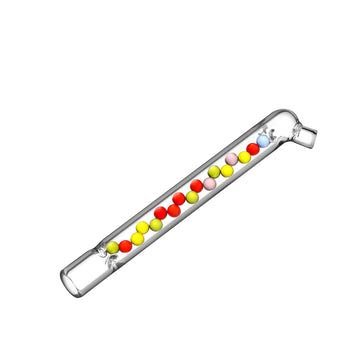
- Dosing capsule: the Mighty+ and Crafty+ boxes each include one dosing capsule. Our glass dosing capsules (no lid, pack of 3) fit the Mighty, Mighty+, Crafty and Crafty+, according to the product page, and let you pre-load and swap in a fresh load quickly.
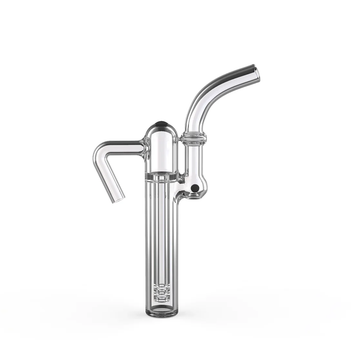
- Chamber reducer: the glass chamber reducers for the Venty, Crafty and Mighty suit smaller loads, so you can use less material in a full-sized chamber.
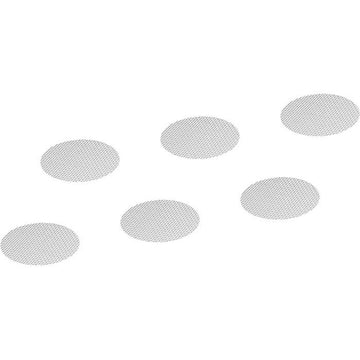
- Spare screens: both boxes include small spare screen sets, and replacements are in the Mighty and Crafty accessories collection.
The Crafty+ has been discontinued according to retailers, but the same glass accessories are listed for it and the Mighty+.
Final Thoughts
A good session comes down to a few simple habits: charge fully, grind finely, fill the chamber without overpacking, wait for the heat-up to finish, and draw gently. Start at the base temperature and move up only if you need to. Keep the screens and cooling unit clean, and the Mighty+ and Crafty+ stay easy to use. Find fitting spares in the Mighty and Crafty accessories collection, or look at the Mighty+.