XMAX V3 Pro and V4 Pro Battery Life, Charging and Replacement
The XMAX V3 Pro and V4 Pro use a removable 18650 lithium battery rated 3.7 V and 2,550 mAh, charged over USB-C at no more than 5 V/1 A. The manufacturer says a full charge gives at least 12 sessions in 6-minute mode at the top setting of 220 °C, charging takes about 3 hours on a 5 V/1 A charger, and the cell begins to decline after roughly 350 charges. The Starry 4 uses the same size of cell but a different heater, so we note where it differs.
This guide uses the XMAX manuals and the TopGreen support pages. For the basics of using the device, read our XMAX how-to guide, and for how the three models differ, see V3 Pro vs V4 Pro vs Starry 4. More guides are in the XMAX hub.
- Battery facts at a glance
- How to charge
- Battery life
- Care and storage
- Replacing the battery
- Quick answers
- Charging and contact problems
1. Battery Facts at a Glance
| V3 Pro | V4 Pro | Starry 4 | |
|---|---|---|---|
| Battery | Removable 18650, 3.7 V, 2,550 mAh | Removable 18650, 3.7 V, 2,550 mAh | Removable 18650, 2,550 mAh |
| Charging | USB-C, 5 V/1 A | USB-C, 5 V/1 A | USB-C, no more than 5 V/1 A |
| Stated runtime | At least 12 six-minute sessions at 220 °C | At least 12 six-minute sessions at 220 °C | At least 12 four-minute sessions at 240 °C |
| Stated cycle life | About 350 charges | About 350 charges | About 350 charges |
| Display while charging | Shows charging, stays on when full | Shows charging, stays on when full | Charging icon, stays on when full |
Some FAQ lines on the maker's pages describe the V3 and V4 cell as 2,600 mAh, while the printed manuals and specification tables say 2,550 mAh. We use the manual figure. The runtime figures are the manufacturer's minimums under stated conditions, not a measurement of our own, and the time you get depends on temperature, mode and session length.
2. How to Charge
- Remove the protection tab. The manuals ask you to remove the protection tab from the battery compartment before first use.
- Charge fully before the first session. The maker recommends charging for more than 6 hours the first time.
- Use the supplied USB-C cable and a charger rated 5 V/1 A or lower. The support pages say a 5 V/1 A charger takes about 3 hours, a 5 V/500 mA charger 4 to 5 hours, and a charger above 5 V/2 A makes the device stop charging because of its built-in protection. The Starry 4 manual says an output above 5 V/1 A can damage the device.
- Watch the display. A charging icon shows while the battery charges, and the display stays on when it is full.
The Starry 4 support pages advise against using the device while it is charging, and it is a sensible habit for the other models too.

3. Battery Life
The V3 Pro and V4 Pro have 4-minute and 6-minute session timers, and the maker's figure of at least 12 sessions is for 6-minute sessions at 220 °C, the hardest setting on the battery. The Starry 4 has 4, 6 and 10-minute timers, and its quoted figure is at least 12 four-minute sessions at 240 °C. Lower temperatures, shorter timers and on-demand use are all gentler on the battery, though the maker does not publish figures for them.
4. Care and Storage
- Do not leave it flat. The manuals warn against putting the device away with a very low charge. If the battery falls below 2% and stays there, it may no longer accept a charge.
- Let it cool before storage or charging, and keep it somewhere clean and dry, out of reach of children and pets.
- Use a dedicated charger of good quality, and never one above the stated output.
- Do not use damaged cells. The Starry 4 manual says never to use damaged batteries and never to carry a loose cell in a pocket with metal objects.
- Stop if anything looks wrong. If the device overheats or is damaged, stop using it and contact customer service rather than repairing it yourself.
5. Replacing the Battery
The cell sits behind a battery lid and is removable, and the V3 Pro manual lists the removable battery among the few parts you may handle yourself. The manuals say to use the original battery or a high-quality 18650 from an authentic brand rather than a clone, and one that suits the device. The Starry 4 support page says a working 18650 of 2,550 mAh can be fitted. If you are not sure which cell to buy, ask XMAX or the retailer before purchasing, because the manuals do not give a discharge rating.
Plan on a replacement when runtime has clearly dropped. The maker quotes a decline after around 350 charge cycles, and the V3 Pro warranty notes that the battery cell is not covered by the 12-month warranty on the electronic base. We do not currently list XMAX batteries, so we are not linking one here.
6. Quick Answers
Which charger should I use? The supplied USB-C cable with an ordinary USB charger that outputs no more than 5 V/1 A. A 5 V/500 mA charger works but takes 4 to 5 hours, and anything above 5 V/2 A makes the device stop charging.
How long is a full charge? About 3 hours on a 5 V/1 A charger after the first long charge, according to the maker.
How many charges will the battery last? The maker says the cell declines after about 350 charge cycles. If you charge once a week, that is several years, and if you charge every other day it is closer to two years, though real-world wear varies.
Can I use two batteries? The cell is removable, so a spare high-quality 18650 of the same 2,550 mAh rating lets you swap and keep going.
Why is my runtime shorter than the quoted 12 sessions? The figure applies to 6-minute sessions at 220 °C. Heating from cold, longer timers, an aging cell or a low starting charge can all reduce what you get.
7. Charging and Contact Problems
The XMAX V3 Pro and V4 Pro manuals and support pages we used do not list fault messages. The XVAPE Starry 4 FAQ (a sister brand of the same maker, TopGreen) says that if the display shows Out short as soon as you switch on, it may be poor contact between the battery and the device, and suggests looking for dirt or foreign matter on the contact surfaces, cleaning them and trying again. We have not seen that guidance published for the V3 Pro or V4 Pro, so treat it as a sensible first check rather than a confirmed fix for those models. If the device will not charge after a deep discharge, remember the below-2% warning above. When the problem remains, contact the maker's support instead of opening the device.
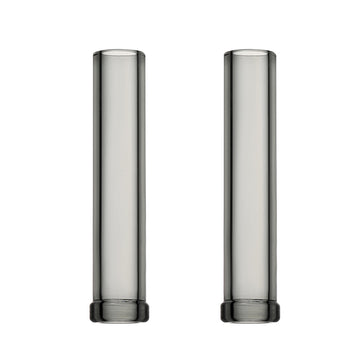
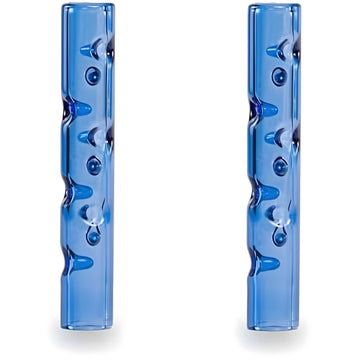
While the device is on the bench, a spare stem can be useful: our 110 mm long straight stems and cooling beads stem are listed for the V3 Pro and V4 Pro, and the XMAX accessories collection and accessories guide show what else fits.
Final Thoughts
XMAX battery care is mostly common sense: a modest 5 V/1 A charger, a full first charge, no long storage on empty, and a good-quality 18650 when it is time to replace the cell. Treat the 12-session figure as a best-case minimum, not a promise, and check your own device's manual first.